User guide v3.x
BulkUploader is an application for Windows that allows you to upload lots of documents in an easy way.
Server configuration
Section titled “Server configuration”Choose File / Configuration menu option to show the configuration popup.
The available configuration parameters are:
| Property | Type | Description |
|---|---|---|
| Language | Select | User interface language. |
| User | String | User ID for accessing OpenKM. user1 |
| Password | String | The password of the user. pass1 |
| Host | String | OpenKM URL. http://localhost:8080/openkm/ |
To accept configuration parameter changes, click the Accept button.
Bulk upload files and folders
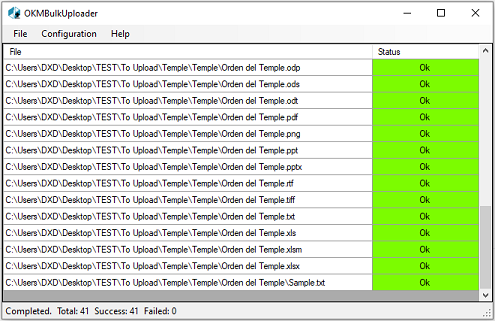
Section titled “Bulk upload files and folders”- You can select a folder from the File -> Upload option or select one or more folders or documents and drag and drop them onto the main application window.
- Then you must select the destination path and all the files and folders will be uploaded, indicating the status of each one.
In My Documents/OpenKM there is a log file called OKMBulkUploader.log with a complete log trace.