User guide v5.x
DownloadTool is a Windows application that allows you to download files or folders from OpenKM.
Server configuration
Section titled “Server configuration”Choose the File / Configuration menu option to show the configuration popup.
The available configuration parameters are:
| Property | Type | Description |
|---|---|---|
| Language | Select | User interface language. |
| User | String | User ID for accessing OpenKM. user1 |
| Password | String | The password of the user. pass1 |
| Host | String | OpenKM URL. http://localhost:8080/openkm/ |
| Use personal token | Bool | The authentication will be done using the access token. |
| Personal token | String | The personal access token. okmpat-Ky1t16O2Rwx4ttPmOK0R |
To accept configuration parameter changes, click the Accept button.
Download files and folders
Section titled “Download files and folders”-
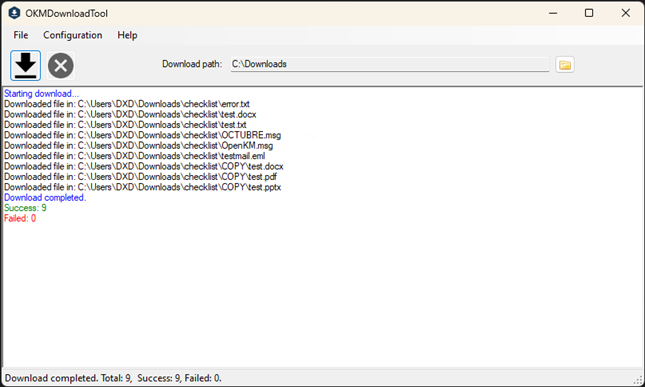
First, select the path where you want to download the file or folder.
-
Then, from the Explorer form, select the file or folder you wish to download.
-
Finally, the app will display the total number of documents that were downloaded.
In My Documents/OpenKM there is a log file called OKMDownload.log with a complete log trace.