Change folder style by metadata value
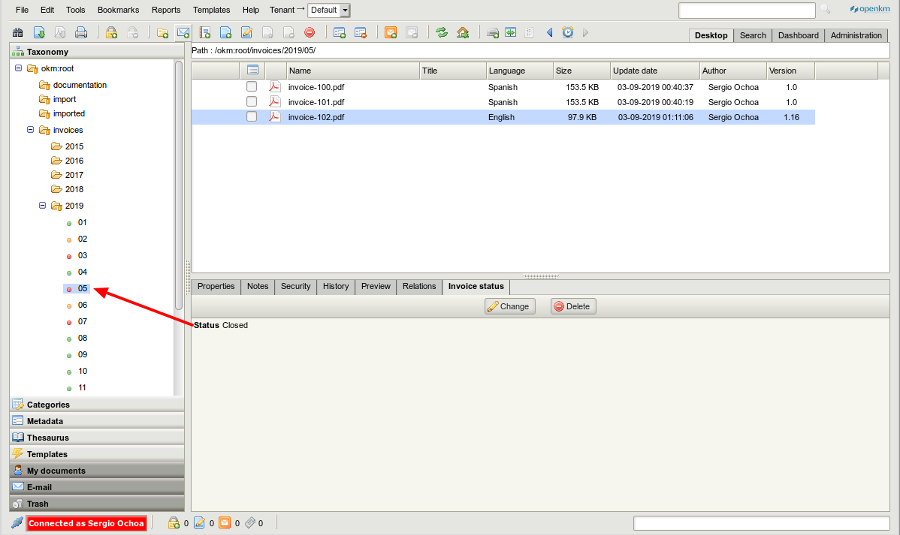
The example demonstrates how to change folder style icons based on metadata values.
Configure sample
Section titled “Configure sample”Create a new Metadata group
Section titled “Create a new Metadata group”<?xml version="1.0" encoding="UTF-8"?><!DOCTYPE property-groups PUBLIC "-//OpenKM//DTD Property Groups 3.10//EN" "http://www.openkm.com/dtd/property-groups-3.10.dtd"><property-groups> <property-group label="Invoice status" name="okg:invoicedata"> <select label="Status" name="okp:invoicedata.status" type="simple"> <option label="Open" value="open" /> <option label="Pending to review" value="review" /> <option label="Closed" value="closed" /> </select> </property-group></property-groups>Create new Folder styles
Section titled “Create new Folder styles”Create three new folder styles. Each folder style will use only a single icon for all statuses.
| Folder style name | Icon | Internal Id |
|---|---|---|
| green |  |
2 |
| orange |  |
3 |
| red |  |
4 |
Create a new Automation task
Section titled “Create a new Automation task”Create an Automation task:
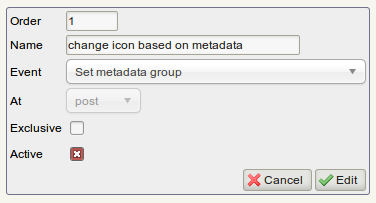
- Set the name “Change icon based on metadata”.
- Choose “Set Property Group” event (set metadata fields event).
- Choose “post” on the “at” field.
- Check Active.

- Add an action based on scripting and set the code below.
Scripting code
import java.util.Map;
import com.google.gson.Gson;import com.openkm.api.OKMDocument;import com.openkm.api.OKMFolder;import com.openkm.api.OKMPropertyGroup;import com.openkm.api.OKMRepository;import com.openkm.bean.Document;import com.openkm.bean.PropertyGroup;import com.openkm.util.ContextWrapper;import com.openkm.util.PathUtils;
try {    OKMFolder okmFolder = ContextWrapper.getContext().getBean(OKMFolder.class);    OKMDocument okmDocument = ContextWrapper.getContext().getBean(OKMDocument.class);    OKMRepository okmRepository = ContextWrapper.getContext().getBean(OKMRepository.class);    OKMPropertyGroup okmPropertyGroup = ContextWrapper.getContext().getBean(OKMPropertyGroup.class);    PathUtils pathUtils = ContextWrapper.getContext().getBean(PathUtils.class);    Gson gson = new Gson();
    String grpName = "okg:invoicedata";    boolean hasGroup = false;
    for (PropertyGroup pg : okmPropertyGroup.getGroups(null, uuid)) {        if (pg.getName().equals(grpName)) {            hasGroup = true;        }    }
    if (hasGroup) {        Map properties = okmPropertyGroup.getProperties(null, uuid, grpName);        for (String key : properties.keySet()) {            String[] values = gson.fromJson(properties.get(key), String[].class);            String value = values[0];            Document document = okmDocument.getProperties(null, uuid);            String fldUuid = okmRepository.getNodeUuid(null, pathUtils.getParent(document.getPath()));            if (value.equals("open")) {                okmFolder.setStyle(null, fldUuid, 2);            } else if (value.equals("review")) {                okmFolder.setStyle(null, fldUuid, 3);            } else if (value.equals("closed")) {                okmFolder.setStyle(null, fldUuid, 4);            }        }    }} catch (Exception e) {    System.out.println(e.getMessage());}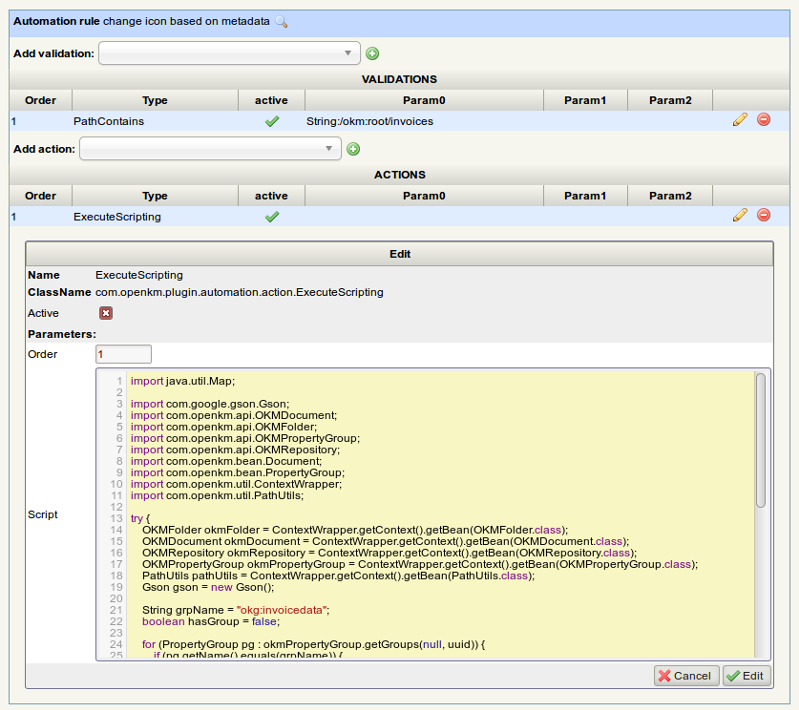
Check configuration
Section titled “ Check configuration”- Update the metadata group of a document.
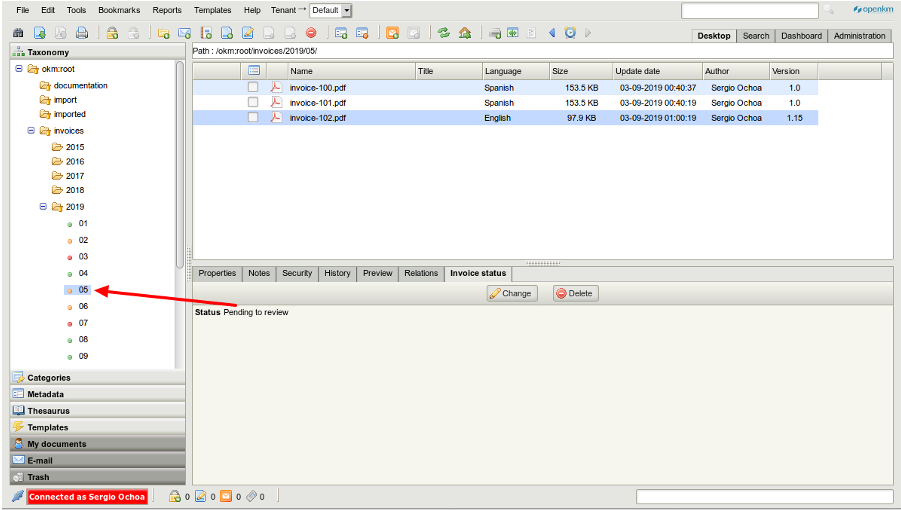
- Change the metadata field value from Pending to review to closed.
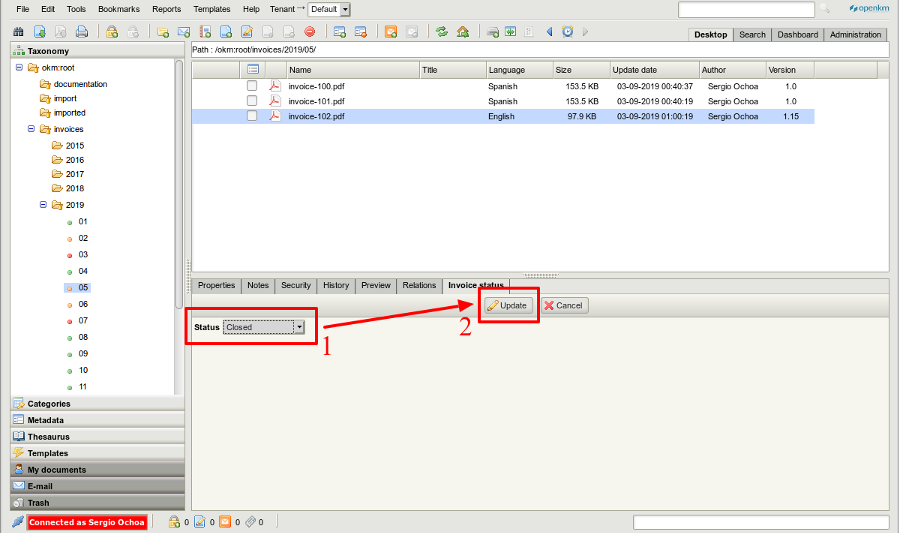
- Click on
 Refresh icon in the toolbar.
 - The folder style icon has been changed.