Process modelling
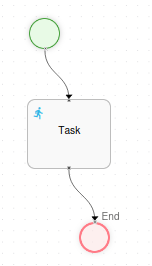
This section describes the fundamental elements that define a workflow process. A process is composed of:
- Nodes
- Transitions
Basics
Section titled “Basics”Nodes define the states within a process definition. They are interconnected by transitions, and together they establish the various paths that can be followed during process execution. When a process definition is executed, it becomes a process instance.
There are several types of nodes:
| Type | Image | Description |
|---|---|---|
| Start node |  |
The Start node defines the entry point of the process. Each process definition must have exactly one Start node. |
| End node |  |
End nodes define the conclusion of the process execution. A process may have multiple end nodes. In this case, the process finishes when execution reaches any of these end nodes. |
| Task node | 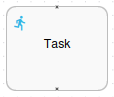 |
A Task node represents one or more tasks that require human interaction. These nodes pause the workflow until the assigned user(s) complete the required actions. |
| Initiation form | 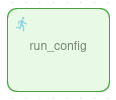 |
To define a form prior to the start of a workflow, a task with the reserved name “run_config” must be created. When a task with the name “run_config” is declared in the workflow definition, the workflow engine will request that the form defined in that task be filled in as a step prior to the execution of the workflow. The form will be presented only to the user who requests to start the workflow. To set a node of type Initiation form, a node of type task must be used whose name is the reserved word “run_config”. |
| Decision node |  |
There are two ways to model a decision, distinguished by who makes the decision: - When the decision is made automatically by the process logic, use a Decision node. - When the decision is made by an external party (user or system), use multiple transitions leaving a state or wait state node. |
| Mail node |  |
The Mail node enables the process to send email notifications automatically during workflow execution. |
| Action node |  |
Action nodes execute Java code in response to process events. The main event types are: entering a node, leaving a node, and taking a transition. Note the distinction between actions placed on events versus actions placed on nodes: - Actions placed on events execute when the event fires, but cannot influence the process flow control. - Actions placed on nodes are responsible for propagating the execution to the next step in the workflow. |
| Scheduled node |  |
Scheduled nodes execute periodically through a cron task in the application core that controls the execution cycles. To set a node of type scheduled, a node of type action must be used whose name starts with the reserved word “scheduled”. |
| Library node |  |
Library nodes allow you to define global methods and variables that can be utilized throughout the workflows. To set a node of type library, a node of type action must be used whose name starts with the reserved word “library_”. |
Transitions
Section titled “Transitions”Transitions connect nodes in the workflow, defining the flow from one state to another. Each transition has a source node (represented by the from property) and a destination node (represented by the to property). Transitions can optionally be named for better clarity and documentation purposes.
