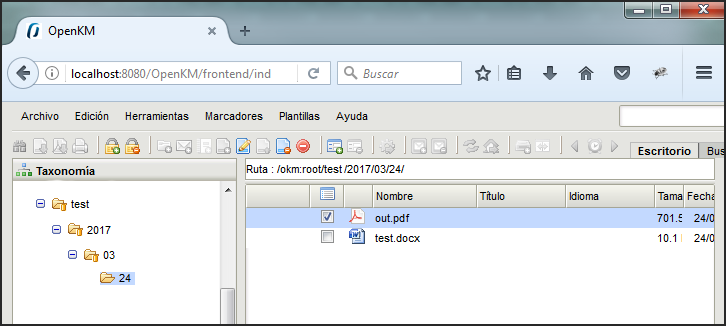
Intercept attachments
First, you must select the Configuration menu item to set your configuration values to access OpenKM from the client computer.
| Property | Type | Description |
|---|---|---|
| Attachment path | String | The OpenKM path will store the intercepted attachment when the user sends an email. /okm:root/attachments |
| Intercept attachment | Select | Choose the behavior when the user sends an email with attachments. - Never do nothing. - Ask whether you want to intercept and import it into OpenKM. - Always intercept and import it into OpenKM. When OpenKM intercepts an attachment, it is imported into OpenKM and replaced in the sent email by an OpenKM URL to the document (attachment imported). |
| Enable attachment log | Checkbox | Enable or disable the activity log of intercepted attachments. This feature is only available when OpenKM works with a MySQL or MariaDB database. This is only possible if the Intercept attachment feature has the Ask or Always option selected. |
Once configured, create a new mail with some attached files, and we send it.
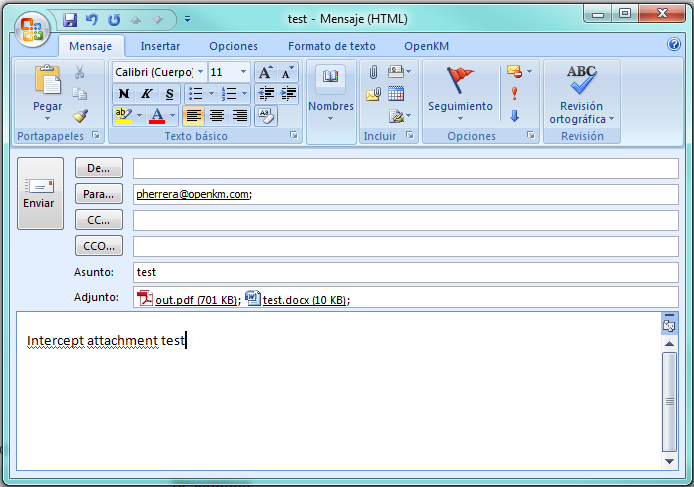
The attachment is imported into OpenKM, and the mail attachment is replaced on the fly by an OpenKM URL to the document (attachment imported).
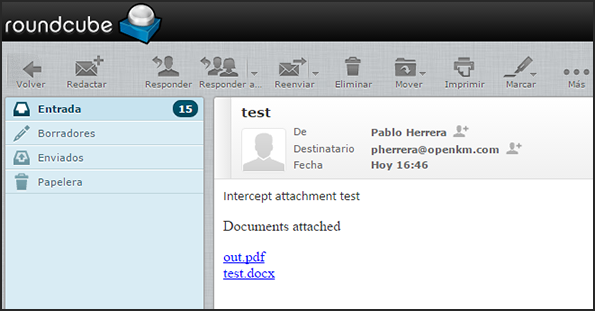
If you click on the OpenKM URL of the document, you will be directed to the document’s location in OpenKM.