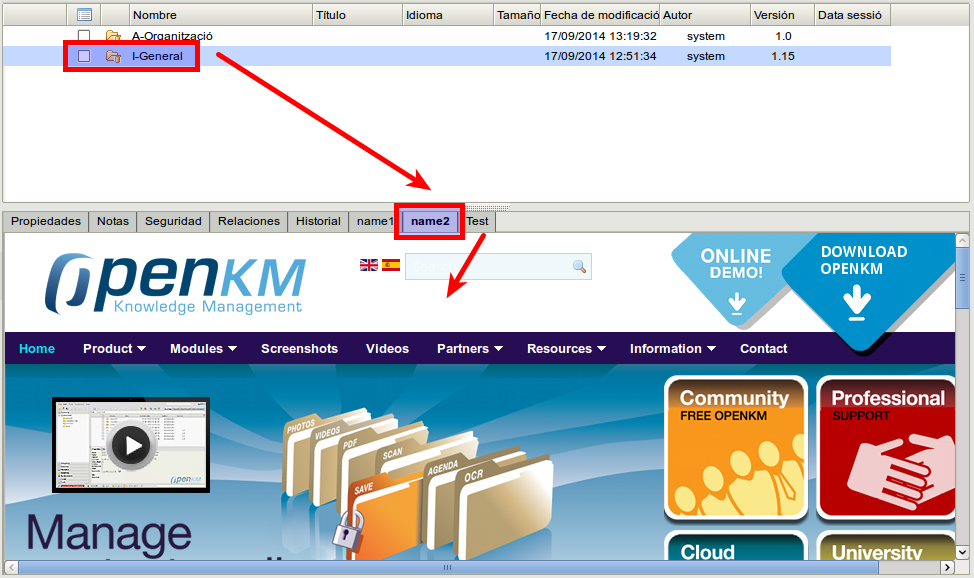
External tab folder extension
The External Tab Folder feature helps you to show tab content in the properties tab based on external URL requests when a node folder is selected.
Configuration
Section titled “Configuration”| Field / Property | Type | Description |
|---|---|---|
| extension.external.tab.folder | List | Each row is a couple of values with a tab content declaration; the format is: name;URL name1;http://localhost:8180/OpenKM/test.jsp name2;http://www.openkm.com |
Sample
Section titled “Sample”Configuration
Section titled “Configuration”Create file named test.jsp and copy into $TOMCAT_HOME/webapps/OpenKM folder.
<%@ page language="java" contentType="text/html; charset=UTF-8" pageEncoding="UTF-8"%><?xml version="1.0" encoding="UTF-8" ?><!DOCTYPE html PUBLIC "-//W3C//DTD XHTML 1.0 Transitional//EN" "http://www.w3.org/TR/xhtml1/DTD/xhtml1-transitional.dtd"><html xmlns="http://www.w3.org/1999/xhtml"><head><title>External URL request example</title></head><body> Request parameters <br /> <br /> <b>uuid:</b><%=request.getParameter("uuid")%><br /></body></html>- Choose a folder.
- Click on “name1” tab.
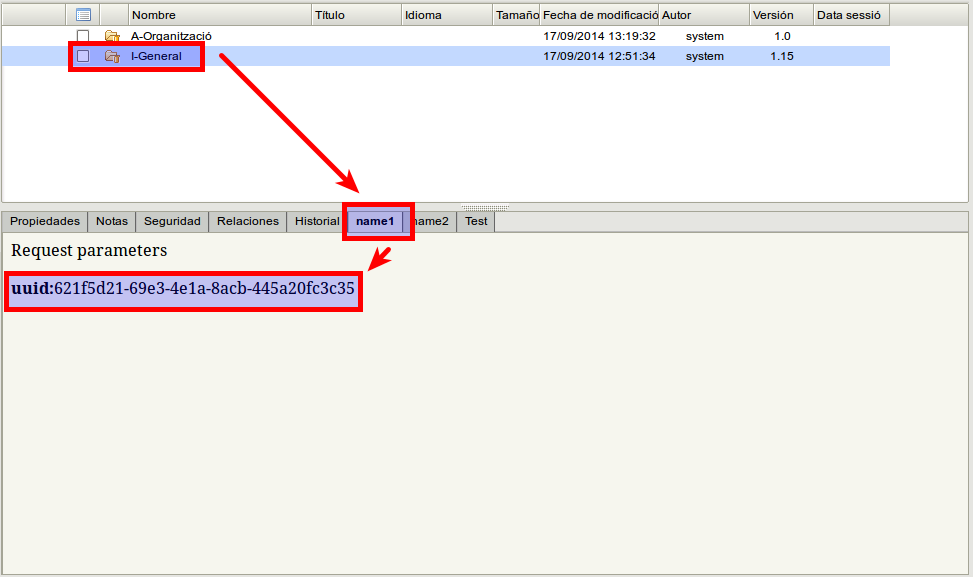
- Click on “name2” tab.