Configurar el IDE a partir de un Eclipse limpio
Requisitos
Sección titulada «Requisitos»Software:
Sección titulada «Software:»- Eclipse
- OpenJDK 1.8
Hardware:
Sección titulada «Hardware:»Configuración de hardware mínima sugerida:
- 2 CPU
- 4 GB de RAM
- Arquitectura de 64 bits (aunque puede ejecutarlo en 32 bits, no recomendamos esa arquitectura).
Descargar Eclipse
Sección titulada «Descargar Eclipse»Le sugerimos descargar la última versión estable de Eclipse. Eclipse se ofrece en varias versiones; debe descargar “Eclipse IDE for Java EE Developers” para la arquitectura de su equipo (32 o 64 bits).
Configurar Java
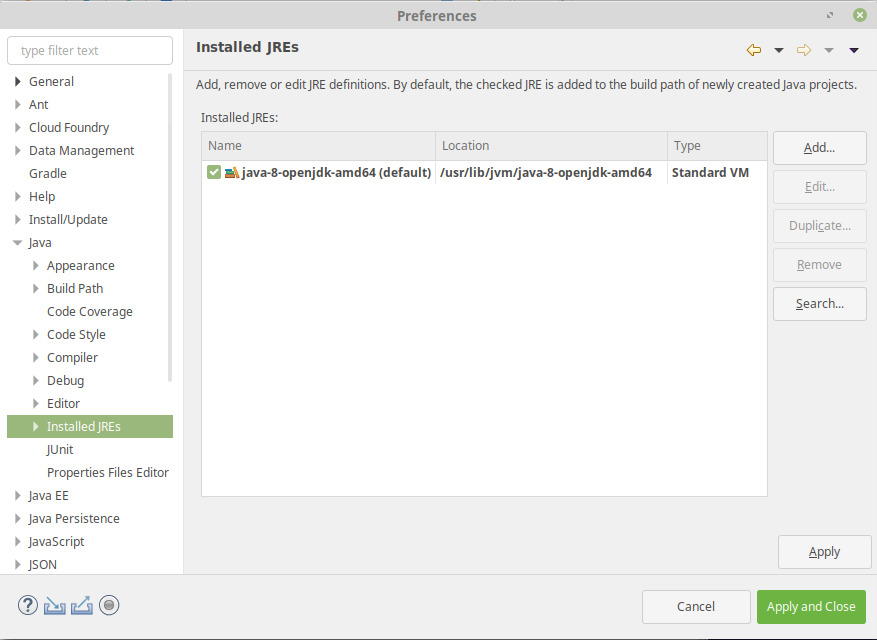
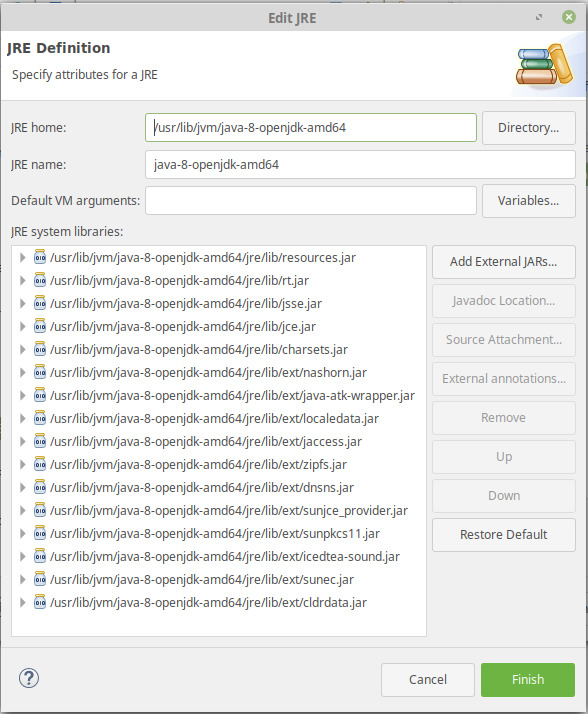
Sección titulada «Configurar Java»Vaya a Window / Preferences / Java / Installed JRE. Debe tener OpenJDK 1.8 definido aquí:
Configurar el servidor Tomcat
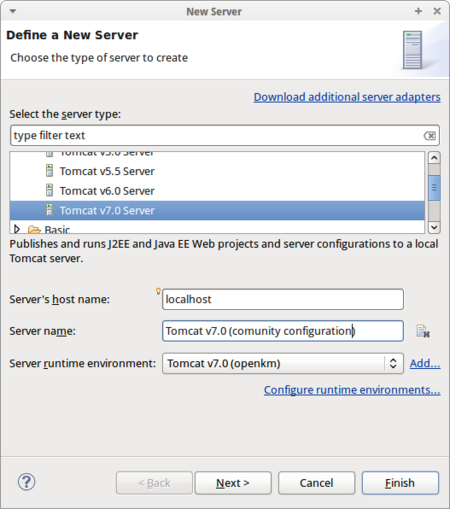
Sección titulada «Configurar el servidor Tomcat»Vaya a la pestaña “servers”. Haga clic con el botón derecho del ratón y, en el menú contextual, elija “Add / server”. En la lista elija “Tomcat 7 server”:
Configure un nuevo Run time server environment:
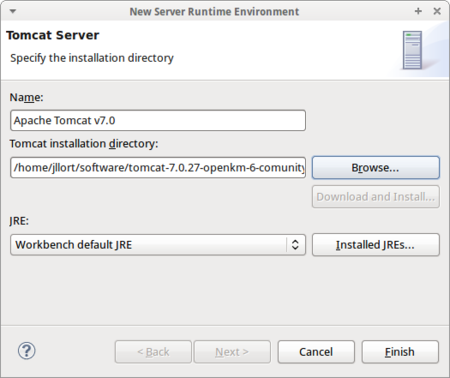
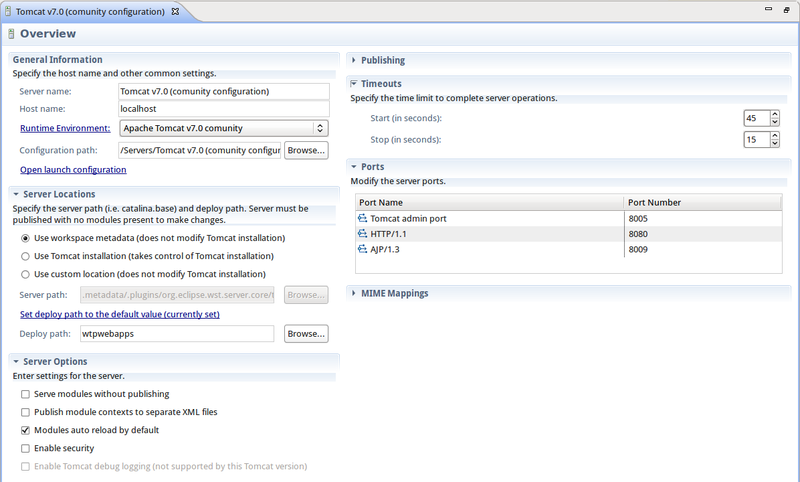
Marque la casilla Use Tomcat installation (toma el control de la instalación de Tomcat).
Aumente los timeouts de inicio y de parada (por ejemplo, a 180 y 120 segundos respectivamente).
Edite la configuración de lanzamiento (launch configuration): añada parámetros de memoria (sugerimos 2 GB), la ruta de la biblioteca sigar y la codificación de archivos UTF-8 en el campo de argumentos de la VM:
-Xms128m -Xmx2048m -Djava.awt.headless=true -Dfile.encoding=utf-8 -Djava.library.path="/home/openkm/tomcat-8.5.69/lib/sigar"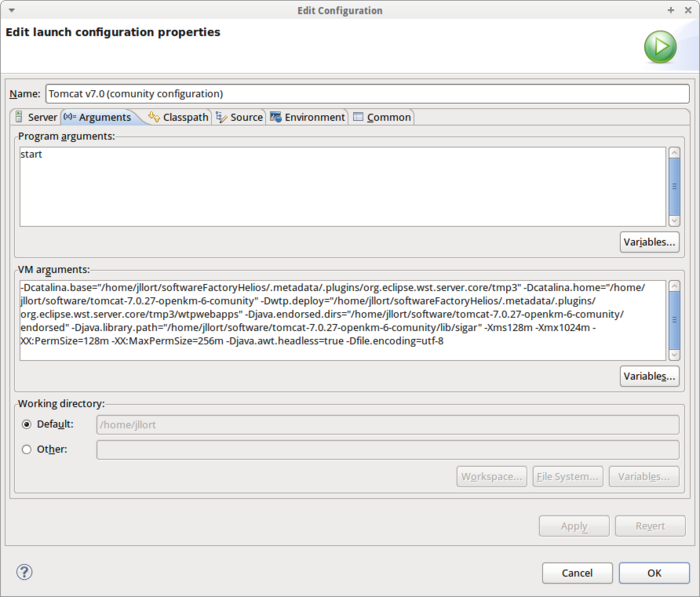
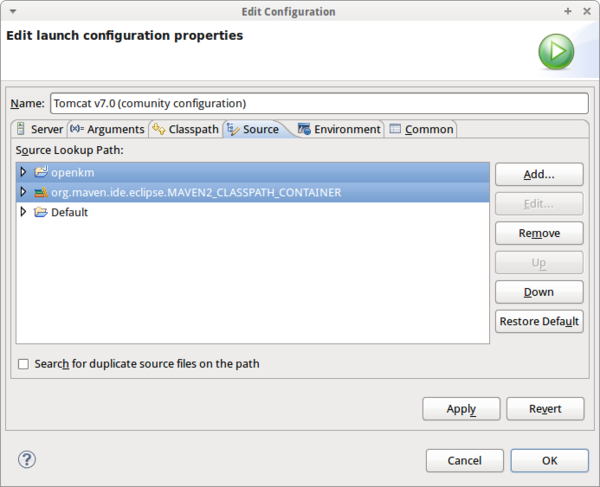
Añada su proyecto OpenKM a la pestaña source:
Añada CATALINA_PID y LD_LIBRARY_PATH a las variables de entorno:
CATALINA_PID=$CATALINA_HOME/catalina.pidLD_LIBRARY_PATH=$LD_LIBRARY_PATH:$CATALINA_HOME/lib/sigar:/usr/local/apr/libo
CATALINA_PID=$CATALINA_HOME/catalina.pidLD_LIBRARY_PATH=/home/openkm/tomcat-8.5.69/lib/sigar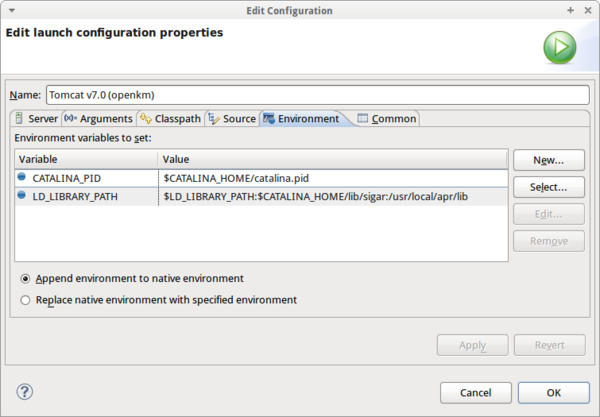
Soporte de Maven para Eclipse
Sección titulada «Soporte de Maven para Eclipse»La última versión de Eclipse viene por defecto con los plugins de compatibilidad con Maven ya instalados. Para versiones antiguas de Eclipse, siga estos pasos de configuración:
- Vaya a Help > Eclipse Marketplace
- Instale el plugin llamado M2Eclipse.
Soporte de Subversion para Eclipse
Sección titulada «Soporte de Subversion para Eclipse»- Vaya a Help > Eclipse Marketplace
- Instale el plugin llamado Subversive.