Configuring IDE from a clean Eclipse
Requirements
Section titled “Requirements”Software:
Section titled “Software:”- Eclipse
- OpenJDK 1.8
Hardware:
Section titled “Hardware:”Suggested minimum hardware configuration:
- 2 CPU’s
- 4GB of ram
- 64 bits architecture (although you can get it running on 32 we do not suggest this architecture).
Download eclipse
Section titled “Download eclipse”We suggest downloading the latest stable version of Eclipse. Eclipse comes with several versions, you should download the “Eclipse IDE for Java EE Developers” for your computer architecture (32 or 64 bits).
Configure Java
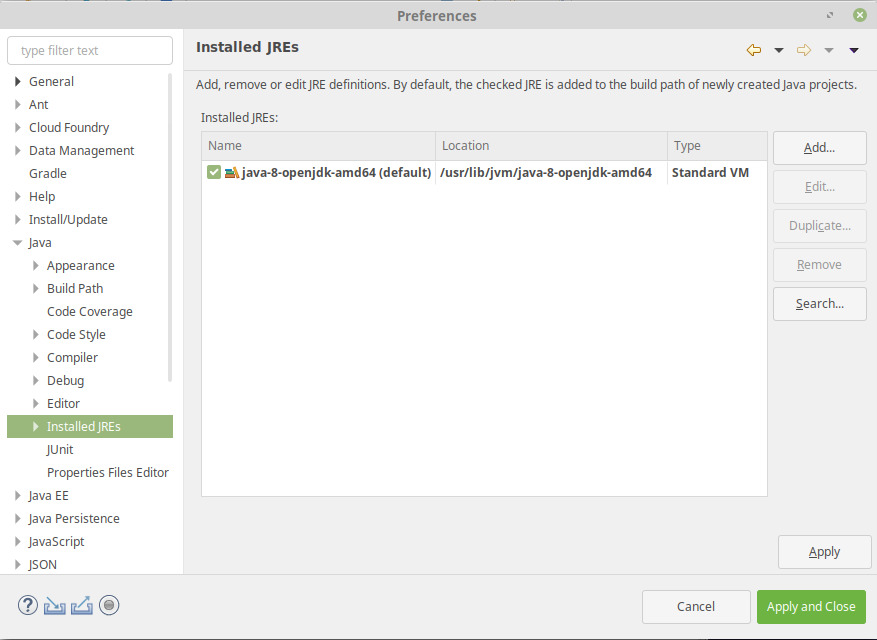
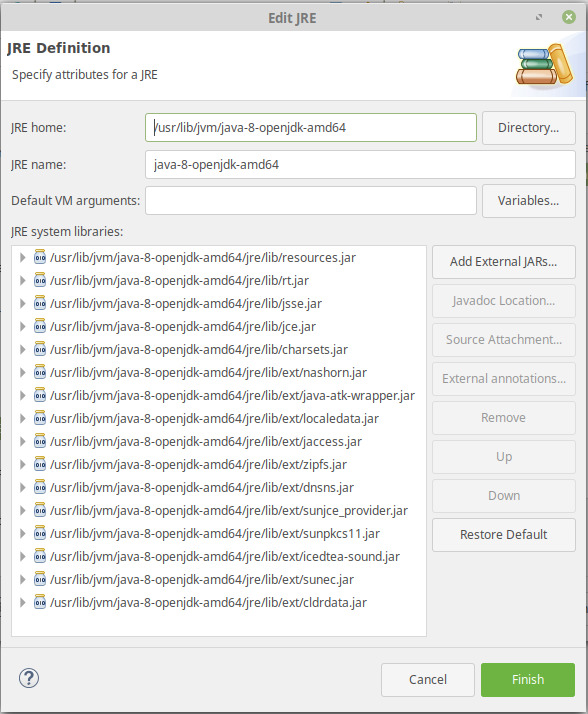
Section titled “Configure Java”Go to Window / Preferences / Java / Installed JRE. You must have OpenJDK 1.8 defined here:
Configure tomcat server
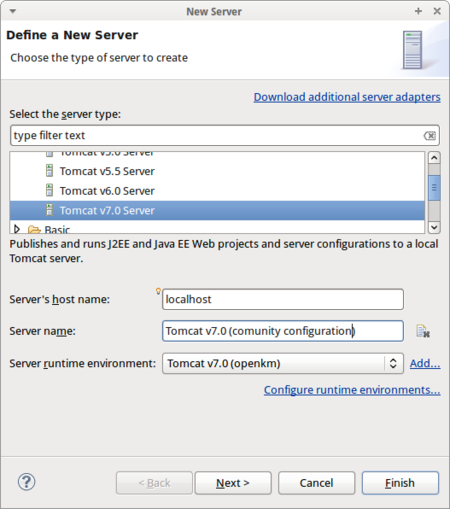
Section titled “Configure tomcat server”Go to the “servers” tab. Click on right click mouse button and from contextual menu choose “Add / server”. From the list choose “Tomcat 7 server”:
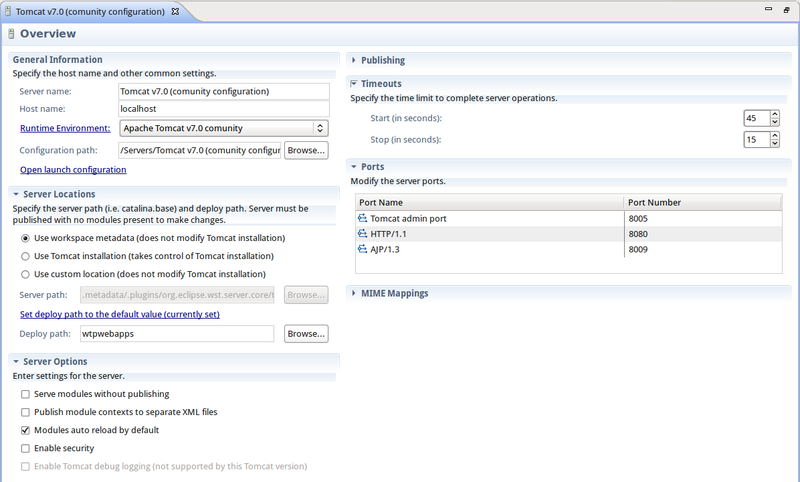
Configure a new Run time server environment:
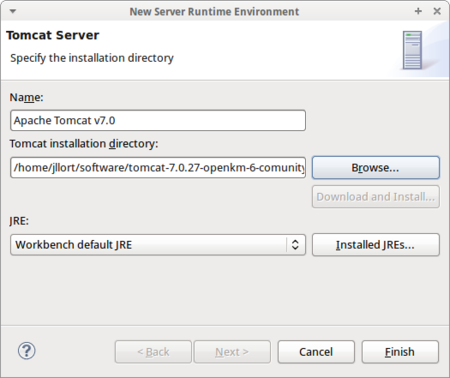
Check the Use Tomcat installation box (takes control of tomcat installation).
Increment start and stop timeouts (for example to 180 and 120 seconds respectively).
Edit the launch configuration: Add memory parameters - we suggest 2GB - sigar library path and utf-8 file encoding in the VM arguments field:
-Xms128m -Xmx2048m -Djava.awt.headless=true -Dfile.encoding=utf-8 -Djava.library.path="/home/jllort/software/tomcat-7.0.27-openkm-6-community/lib/sigar"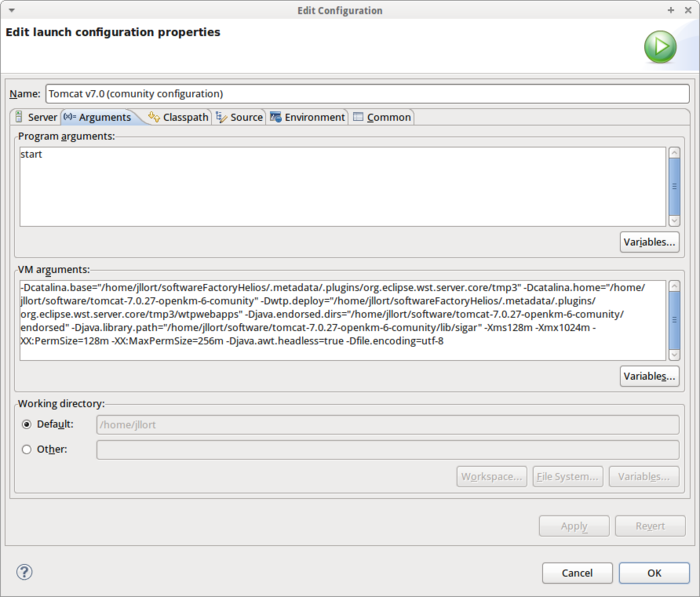
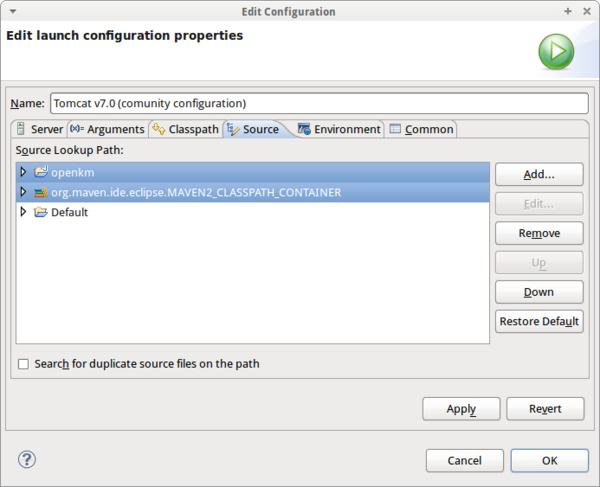
Add your OpenKM project to the source tab:
Add CATALINA_PID and LD_LIBRARY_PATH to the environment variables:
CATALINA_PID=$CATALINA_HOME/catalina.pidLD_LIBRARY_PATH=$LD_LIBRARY_PATH:$CATALINA_HOME/lib/sigar:/usr/local/apr/libor
CATALINA_PID=$CATALINA_HOME/catalina.pidLD_LIBRARY_PATH=/home/jllort/software/tomcat-7.0.27-openkm-6-community/lib/sigar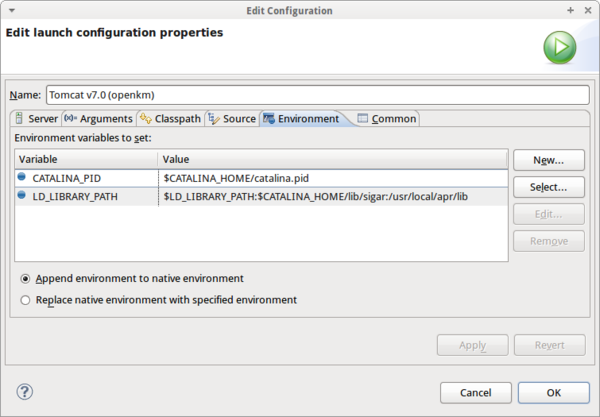
Maven support for Eclipse
Section titled “Maven support for Eclipse”The latest Eclipse version comes with maven support plugins installed by default. For previous Eclipse versions follow these configuration steps:
- Go to Help > Eclipse Marketplace
- Install the plugin named M2Eclipse.
Subversion support for Eclipse
Section titled “Subversion support for Eclipse”- Go to Help > Eclipse Marketplace
- Install the plugin named Subversive.