Reports with parameters
When you execute a report from OpenKM the view might be shown a form requiring the user to introduce values for filtering purpose. The most common case is filtering by a range of dates.
Understanding filtering
Section titled “Understanding filtering”For understanding form filter we will use the UsersLogin.rep report ( dowload the UsersLogin.zip ).
Params XML file
Section titled “Params XML file”In the sample has been set two filtering fields:
| Field | Type | Description |
|---|---|---|
| from_date | Input | Field used to filtering from date. |
| to_date | Input | Field used to filtering to date. |
The params.xml file:
<?xml version="1.0" encoding="UTF-8"?><!DOCTYPE report-parameters PUBLIC "-//OpenKM//DTD Report Parameters 2.0//EN" "http://www.openkm.com/dtd/report-parameters-2.0.dtd"><report-parameters> <input label="From" name="from_date" type="date"> <validator type="req"/> </input> <input label="To" name="to_date" type="date"> <validator type="req"/> </input></report-parameters>Using fields in report
Section titled “Using fields in report”In the report are created two parameters:
| Parameter | Class | Description |
|---|---|---|
| from_date | java.util.Date | From date. |
| to_date | java.util.Date | To date. |
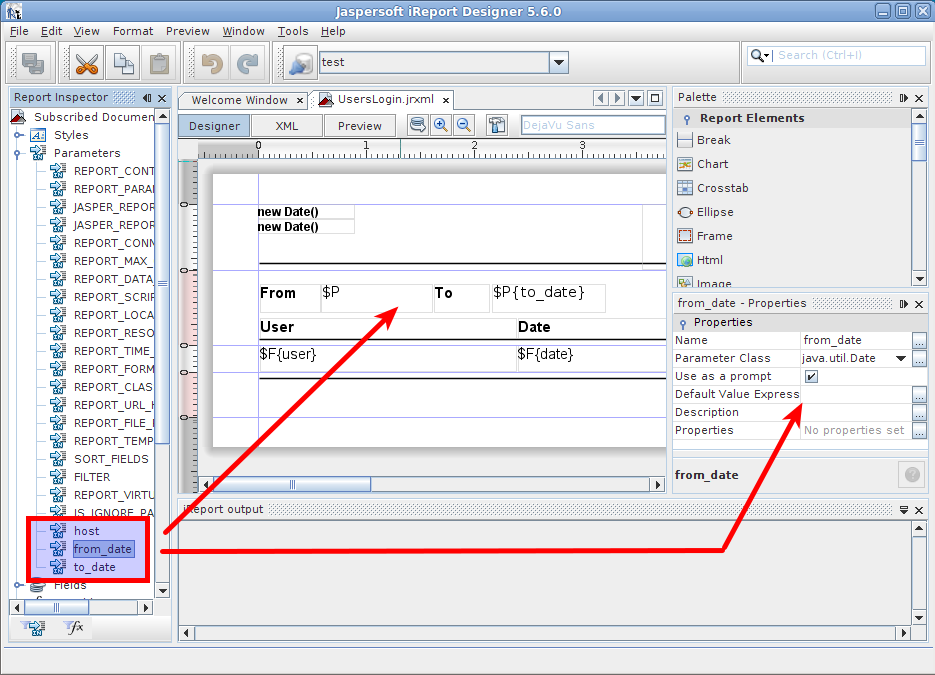
The parameters are also used in SQL or Java reports.
Java sample
Section titled “Java sample”- Click on
 report query button.
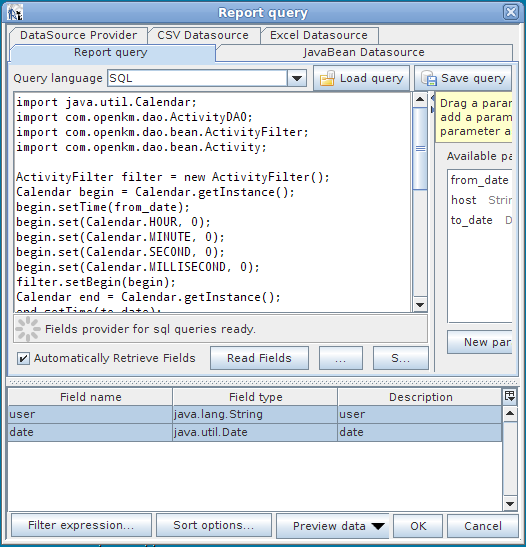
The from_date and to_date variables are injected in code execution and can be used directly as sample below.
import java.util.Calendar;import com.openkm.dao.ActivityDAO;import com.openkm.dao.bean.ActivityFilter;import com.openkm.dao.bean.Activity;
ActivityFilter filter = new ActivityFilter();Calendar begin = Calendar.getInstance();begin.setTime(from_date);begin.set(Calendar.HOUR, 0);begin.set(Calendar.MINUTE, 0);begin.set(Calendar.SECOND, 0);begin.set(Calendar.MILLISECOND, 0);filter.setBegin(begin);Calendar end = Calendar.getInstance();end.setTime(to_date);end.set(Calendar.HOUR, 0);end.set(Calendar.MINUTE, 0);end.set(Calendar.SECOND, 0);end.set(Calendar.MILLISECOND, 0);filter.setEnd(end);filter.setAction("LOGIN");List al = new ArrayList();for (Iterator it = ActivityDAO.findByFilter(filter).iterator(); it.hasNext();){    Activity act = (Activity) it.next();    Map actMap = new HashMap();    actMap.put("user", act.getUser());    actMap.put("date", act.getDate().getTime());    al.add(actMap);}
return al
SQL sample
Section titled “SQL sample” Click on report query button.
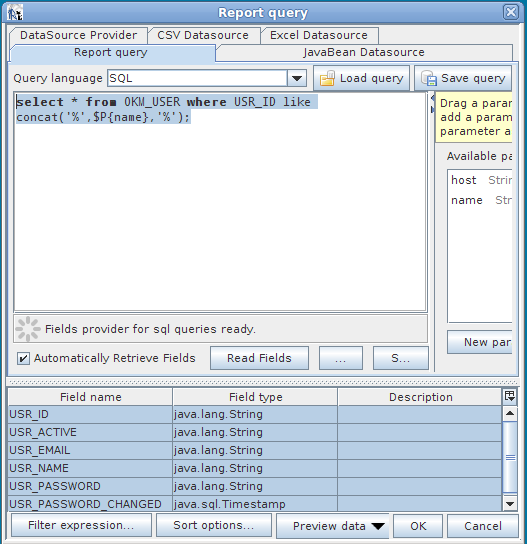
In the sample there is a parameter named “name” of class “java.lang.String” used for filtering users list.
select * from OKM_USER where USR_ID like concat('%',$P{name},'%')