VidSigner integration
VidSigner allows you to make digital signature in documents.
Prepare the document and send it to sign
Section titled “Prepare the document and send it to sign”- Choose the document.
- Click on
 Add metadata group menu option at tools menu to add VidSigner metadata:
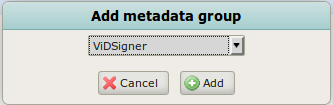
- Establish Pending to sign to true.
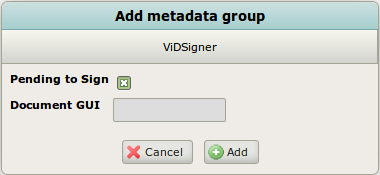
- Click on Add. This will send the document to sign to the device choosen in configuration parameter vidsigner.device.name or to any device if you leave this parameter empty.
Display the document and sign
Section titled “Display the document and sign”The user check the document to be signed on the device, examines it and signs it.
Preview the new version of the signed document
Section titled “Preview the new version of the signed document”Once the document has been signed, you can preview it with the signature in OpenKM.
Take in consideration that if the document is already in PDF format, the signed will be a new version of it. If the document has another format the signed document will be placed in the same folder but in PDF format.