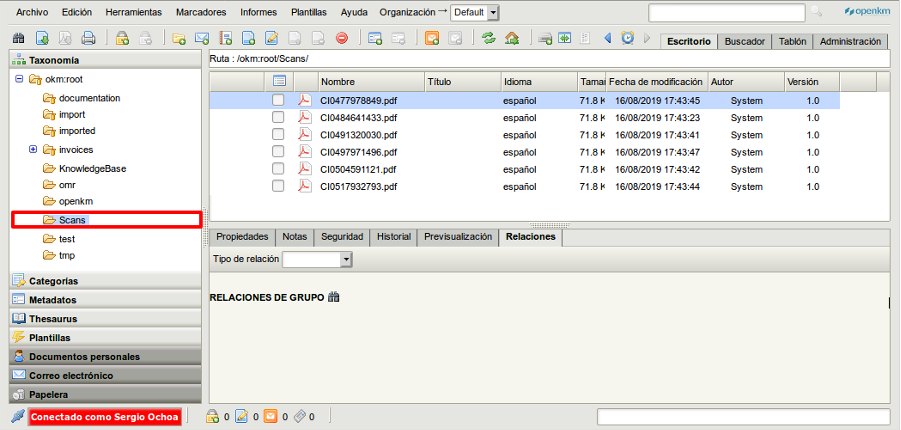
Crontab sample - Basic file system document importer
The script imports files from the server’s file system.
package com.openkm.plugin.cron;
import java.io.File;import java.io.FileInputStream;
import org.slf4j.Logger;import org.slf4j.LoggerFactory;
import com.openkm.api.OKMDocument;import com.openkm.api.OKMFolder;import com.openkm.core.ItemExistsException;import com.openkm.module.db.stuff.DbSessionManager;import com.openkm.util.ContextWrapper;
import net.xeoh.plugins.base.annotations.PluginImplementation;
@PluginImplementationpublic class SystemDocumentImporter extends BaseCronPlugin implements CronAdapter {
    private Logger log = LoggerFactory.getLogger(SystemDocumentImporter.class);
    private OKMDocument document = ContextWrapper.getContext().getBean(OKMDocument.class);    private OKMFolder folder = ContextWrapper.getContext().getBean(OKMFolder.class);    private String token = DbSessionManager.getInstance().getSystemToken();
    @Override    public String getName() {        return "System Document Importer";    }
    @Override    public String getCronExpression() {        return "0 5 * * * *";    }
    @Override    public void execute() {        String okmPath = "/okm:root/Scans/";        File file = new File("/home/opemkm/import");        autoImport(okmPath, file);    }
    private void autoImport(String okmPath, File fldpath) {        try {            log.info("Scanning " + fldpath.getName());            for (File file : fldpath.listFiles()) {                log.info("Importing " + file.getName());                try {                    if (file.isDirectory()) {                        try {                            folder.createSimple(token, okmPath + file.getName());                        } catch (ItemExistsException ie) {                            log.error("folder already exists<br>");                            // Folder already exists - just ignore exception                        }                        autoImport(okmPath + file.getName() + "/", file);                    } else {                        // Check if file is still being written to                        long length = file.length();                        Thread.sleep(1000);                        if (file.length() > length) {                            continue; // Skip file this time                        }                        FileInputStream fis = new FileInputStream(file);                        document.createSimple(token, okmPath + file.getName(), fis);                        fis.close();                    }                    log.info("Created " + okmPath + file.getName());                } catch (Exception e) {                    log.info("Exception:" + e);                    // Something bad happened to prevent import. Skip to next file.                    continue;                }                file.delete();            }        } catch (Exception e) {            log.error(e.getMessage());        }    }
}
Register a new plugin
Section titled “Register a new plugin”- To install a new plugin, create a JAR file and copy it into your $TOMCAT/plugins folder. More information is available at Creating a JAR file with Eclipse.
- Go to Administration > Utilities > Plugins and click the
 Reload plugins button at the top right.
 - In the plugins table, the new plugin will be shown.
Images
Section titled “Images”Crontab task
Section titled “Crontab task”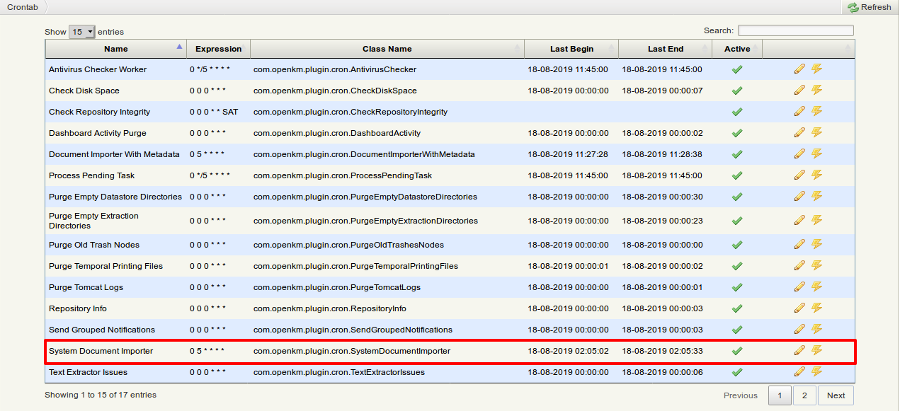
Files in the application server
Section titled “Files in the application server”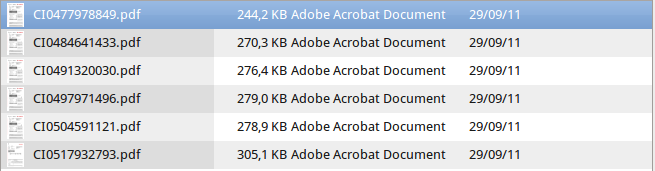
Result
Section titled “Result”