Bulk Uploader
La funcionalidad de carga masiva le ayuda a subir o actualizar varios documentos al mismo tiempo sin necesidad de ir a Add new document y seleccionar cada documento individualmente.
- Elija el nodo (carpeta o expediente) en su repositorio.
- Haga clic en el icono de carga masiva
 . Se mostrará la ventana del Uploader.
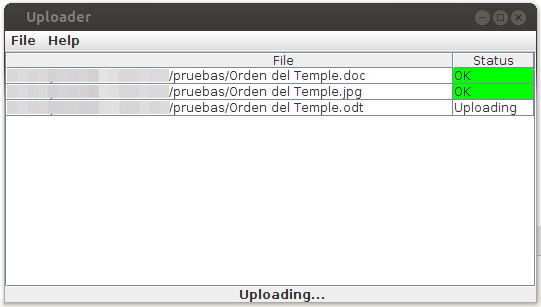
- Arrastre y suelte archivos o carpetas desde su equipo de escritorio a la ventana del Uploader. Los archivos y carpetas se subirán automáticamente a OpenKM, a la ruta de la carpeta que tenga seleccionada actualmente