Integración con VidSigner
VidSigner le permite realizar firmas digitales en documentos.
Preparar el documento y enviarlo a firmar
Sección titulada «Preparar el documento y enviarlo a firmar»- Elija el documento.
- Haga clic en la opción de menú
 Add metadata group del menú de herramientas para añadir los metadatos de VidSigner:
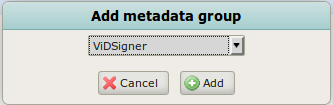
- Establezca Pending to sign en true.
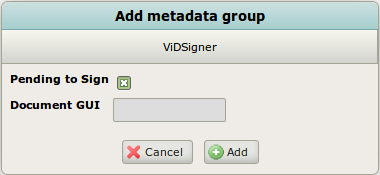
- Haga clic en Add. Esto enviará el documento a firmar al dispositivo elegido en el parámetro de configuración vidsigner.device.name o a cualquier dispositivo si deja este parámetro vacío.
Mostrar el documento y firmar
Sección titulada «Mostrar el documento y firmar»El usuario revisa en el dispositivo el documento que se va a firmar, lo examina y lo firma.
Previsualizar la nueva versión del documento firmado
Sección titulada «Previsualizar la nueva versión del documento firmado»Una vez firmado el documento, puede previsualizarlo con la firma en OpenKM.
Tenga en cuenta que, si el documento ya está en formato PDF, el documento firmado será una nueva versión del mismo. Si el documento tiene otro formato, el documento firmado se colocará en la misma carpeta pero en formato PDF.