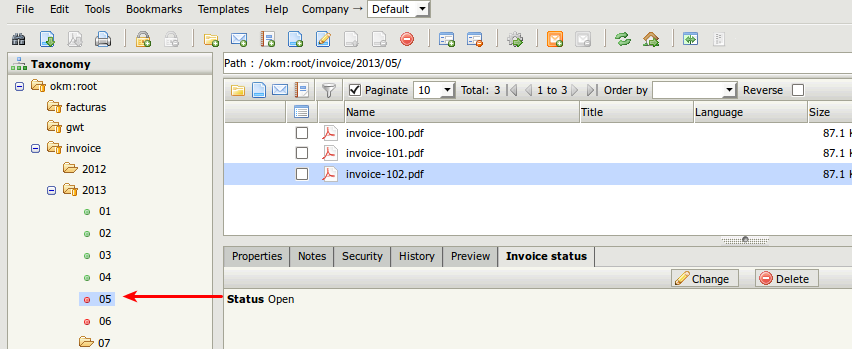
Cambiar el estilo de carpeta según el valor de un metadato
El ejemplo muestra cómo cambiar los iconos de estilo de carpeta en función de los valores de los metadatos.
Configurar el ejemplo
Sección titulada «Configurar el ejemplo»Crear un nuevo grupo de metadatos
Sección titulada «Crear un nuevo grupo de metadatos»<property-group label="Invoice status" name="okg:invoicedata"><select label="Status" name="okp:invoicedata.status" type="simple"> <option label="Open" value="open" /> <option label="Pending to review" value="review" /> <option label="Closed" value="closed" /></select></property-group>Crear nuevos estilos de carpeta
Sección titulada «Crear nuevos estilos de carpeta»Cree tres nuevos estilos de carpeta. Cada estilo de carpeta utilizará un único icono para todos los estados.
| Nombre del estilo de carpeta | Icono | Id interno |
|---|---|---|
| green |  |
2 |
| orange |  |
3 |
| red |  |
4 |
Crear una nueva tarea de automatización
Sección titulada «Crear una nueva tarea de automatización»Cree una tarea de automatización:
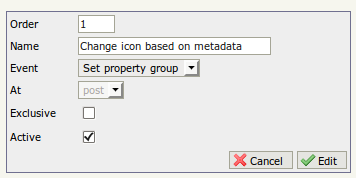
- Establezca el nombre “Change icon based on metadata”.
- Elija el evento “Set Property Group” (evento de establecer campos de metadatos).
- Elija “post” en el campo on at.
- Marque Active.

- Añada una acción basada en scripting y establezca el código siguiente.
Código de scripting
import com.openkm.api.OKMPropertyGroup;import com.openkm.bean.PropertyGroup;import com.openkm.api.OKMRepository;import com.openkm.bean.form.FormElement;import com.openkm.bean.form.Select;import com.openkm.bean.form.Option;import com.openkm.api.OKMFolder;
//String uuid = "e0ad61e4-2c2d-429e-aa00-27afa674551d";String path = OKMRepository.getInstance().getNodePath(null, uuid);String grpName = "okg:invoicedata";boolean hasGroup = false;for (PropertyGroup pg : OKMPropertyGroup.getInstance().getGroups(null, path)) {    if (pg.getName().equals(grpName)) {        hasGroup = true;    }}if (hasGroup) {    for (FormElement formElement : OKMPropertyGroup.getInstance().getProperties(null, path, grpName)) {        if (formElement instanceof Select) {            Select select = (Select) formElement;            for (Option option : select.getOptions()) {                if (option.isSelected()) {                    String fldPath = path.substring(0,path.lastIndexOf("/"));                    String fldUuid = OKMRepository.getInstance().getNodeUuid(null, fldPath);                    if (option.getValue().equals("open")) {                        OKMFolder.getInstance().setStyle(null, fldUuid, 2);                    } else if (option.getValue().equals("review")) {                        OKMFolder.getInstance().setStyle(null, fldUuid, 3);                    } if (option.getValue().equals("closed")) {                        OKMFolder.getInstance().setStyle(null, fldUuid, 4);                    }                }            }        }    }}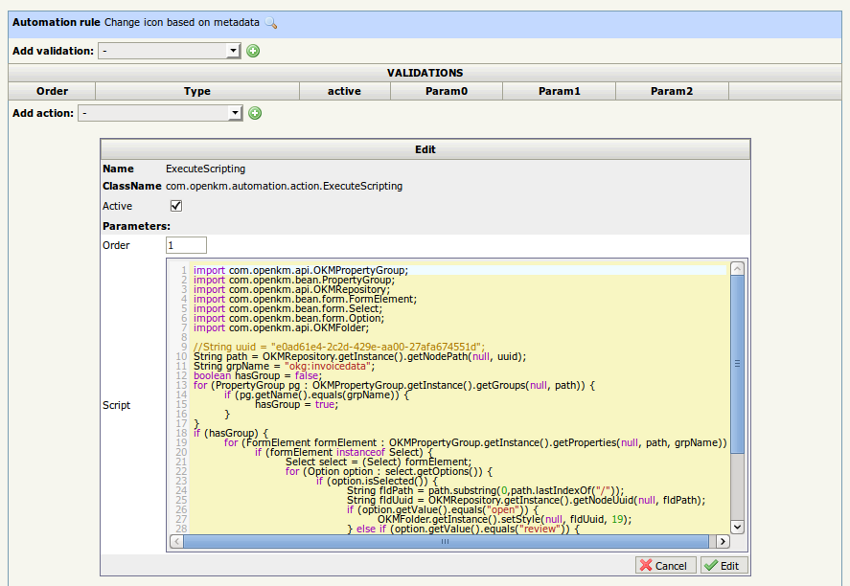
Comprobar la configuración
Sección titulada «Comprobar la configuración»- Actualice el grupo de metadatos de un documento.
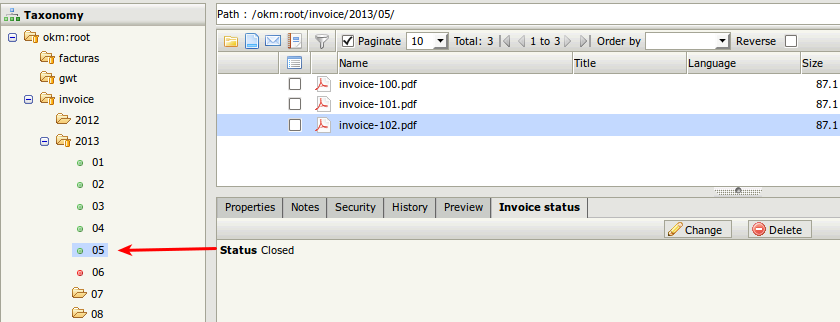
- Cambie el valor del campo de metadatos de closed a open.
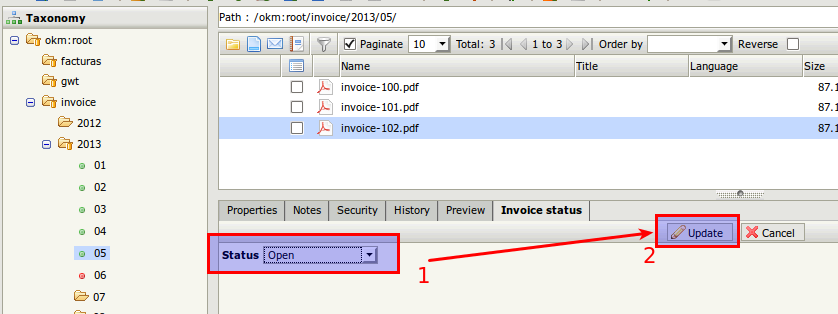
- Haga clic en el
 icono Refresh de la barra de herramientas.
 - El icono del estilo de carpeta aplicado ha cambiado.