Inicio rápido
Con OpenKM, almacenar y compartir información y colaborar de forma eficaz es sencillo.
Esta guía de inicio rápido le ofrece una introducción a algunas de las funcionalidades de OpenKM:
- Iniciar sesión.
- Crear una taxonomía.
- Añadir documentos.
- Editar documentos.
- Buscar documentos.
Iniciar sesión
Sección titulada «Iniciar sesión»Debe iniciar sesión en OpenKM.
- Introduzca lo siguiente en la página de inicio de sesión:
- Username: su nombre de usuario.
- Password: su contraseña.
- Elija su idioma.
- Haga clic en el botón Login.
Crear una taxonomía
Sección titulada «Crear una taxonomía»El primer paso debería ser analizar la organización de la empresa y definir una jerarquía de carpetas para almacenar los documentos de forma organizada. Tome esta como ejemplo:
| /okm:root/ | 2015/ | invoices/ |
| human resources/ | ||
| marketing/ | ||
| 2016/ | invoices/ | |
| human resources/ | ||
| marketing/ |
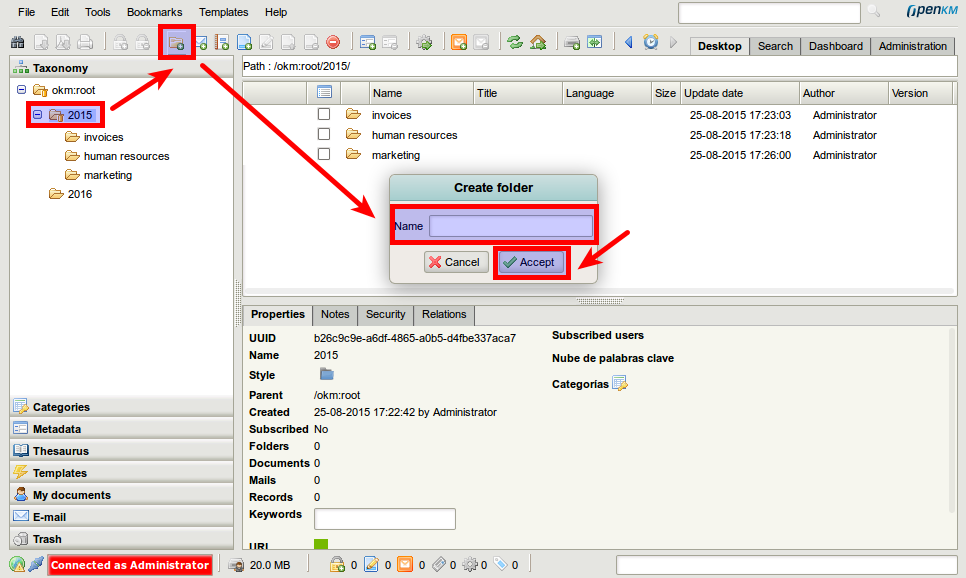
Para crear una carpeta:
- Seleccione un nodo de la taxonomía donde crear la carpeta.
- Haga clic en el icono de carpeta
 de la barra de herramientas.
 - Establezca el nombre.
- Haga clic en el botón Accept.
Añadir documentos
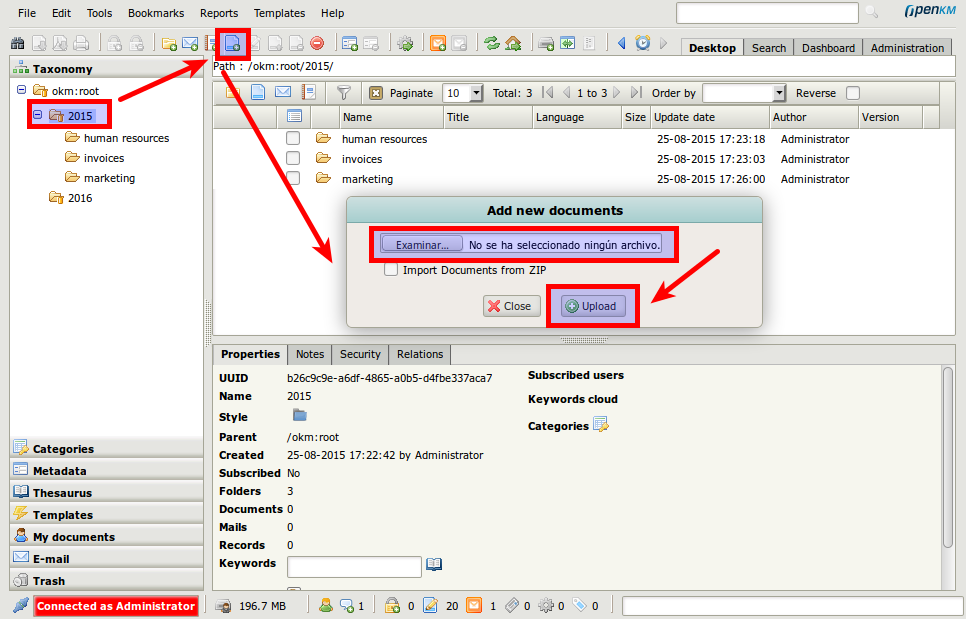
Sección titulada «Añadir documentos»- Seleccione un nodo de la taxonomía donde añadir el documento.
- Haga clic en el icono add document
 de la barra de herramientas.
 - Seleccione el documento en su equipo.
- Haga clic en el botón Upload.
Editar documentos
Sección titulada «Editar documentos»La edición de documentos se basa en el modelo “check-out / check-in”.
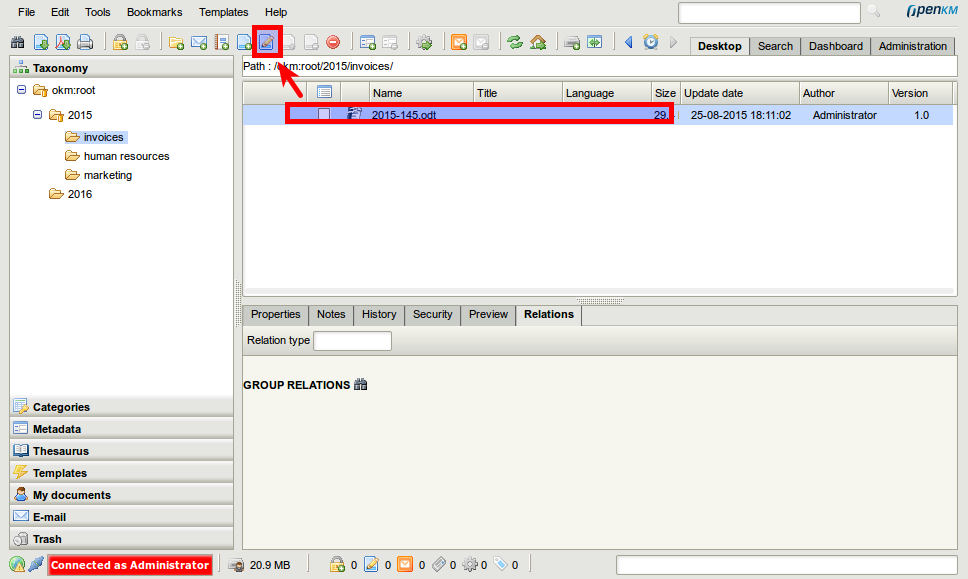
Primero debe hacer check-out del documento:
- Seleccione un documento.
- Haga clic en el icono Edit
 .
.
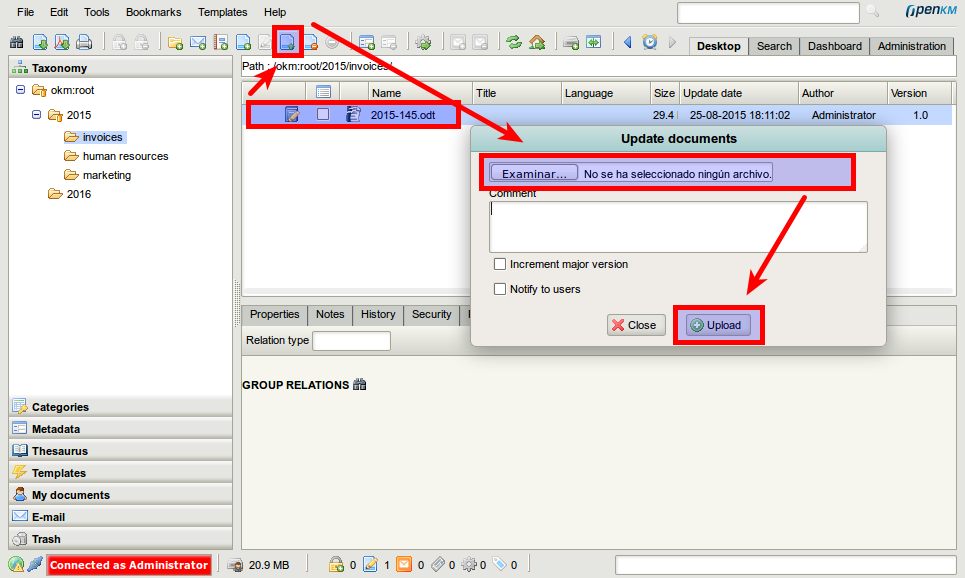
Por último, haga check-in del documento para subir los cambios:
- Seleccione el documento editado.
- Haga clic en el icono Update
 .
. - Seleccione el documento en su equipo.
- Haga clic en el botón Upload.
Buscar documentos
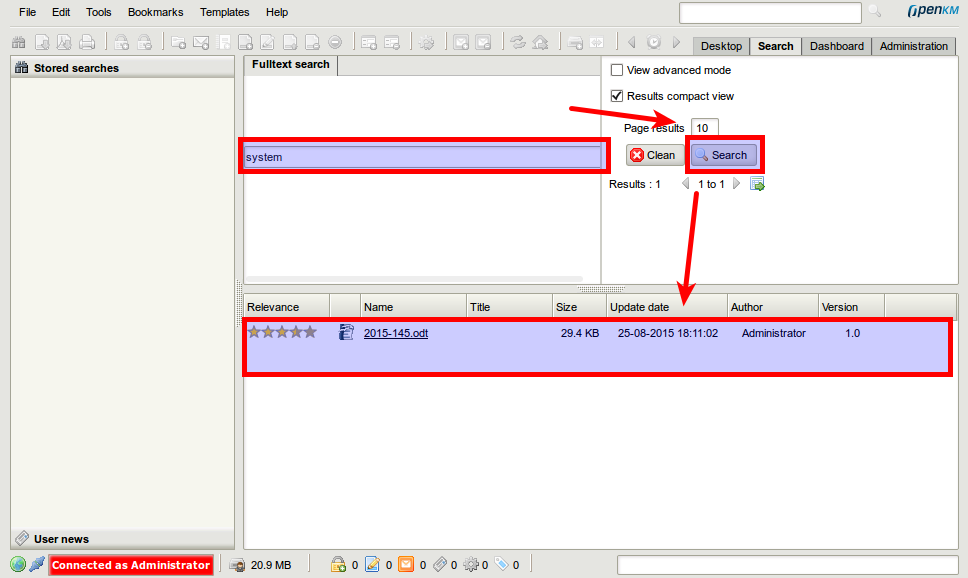
Sección titulada «Buscar documentos»- Vaya a la vista de búsqueda.
- Escriba el término de la consulta.
- Haga clic en el botón Search.